When we started building Worksmith Marine, the first thing we did was not write software. We asked 73 surveyors how they get from the boat to the report.
We expected the answer to be "everyone has their own way." That turned out to be half true. Every surveyor has their own way, but the ways are not infinite. By the end of those conversations the routines had sorted themselves into four, with a lot of people running one routine on small boats and another on big ones, or switching when the weather turns.
This post is that finding, written up. For each routine: what it looks like on the boat, where the time goes at the desk, and what we built so that routine gets a finished draft without changing. If you are a surveyor, you will find yourself in here somewhere. If you are just curious how survey reports get written, this is the honest version.
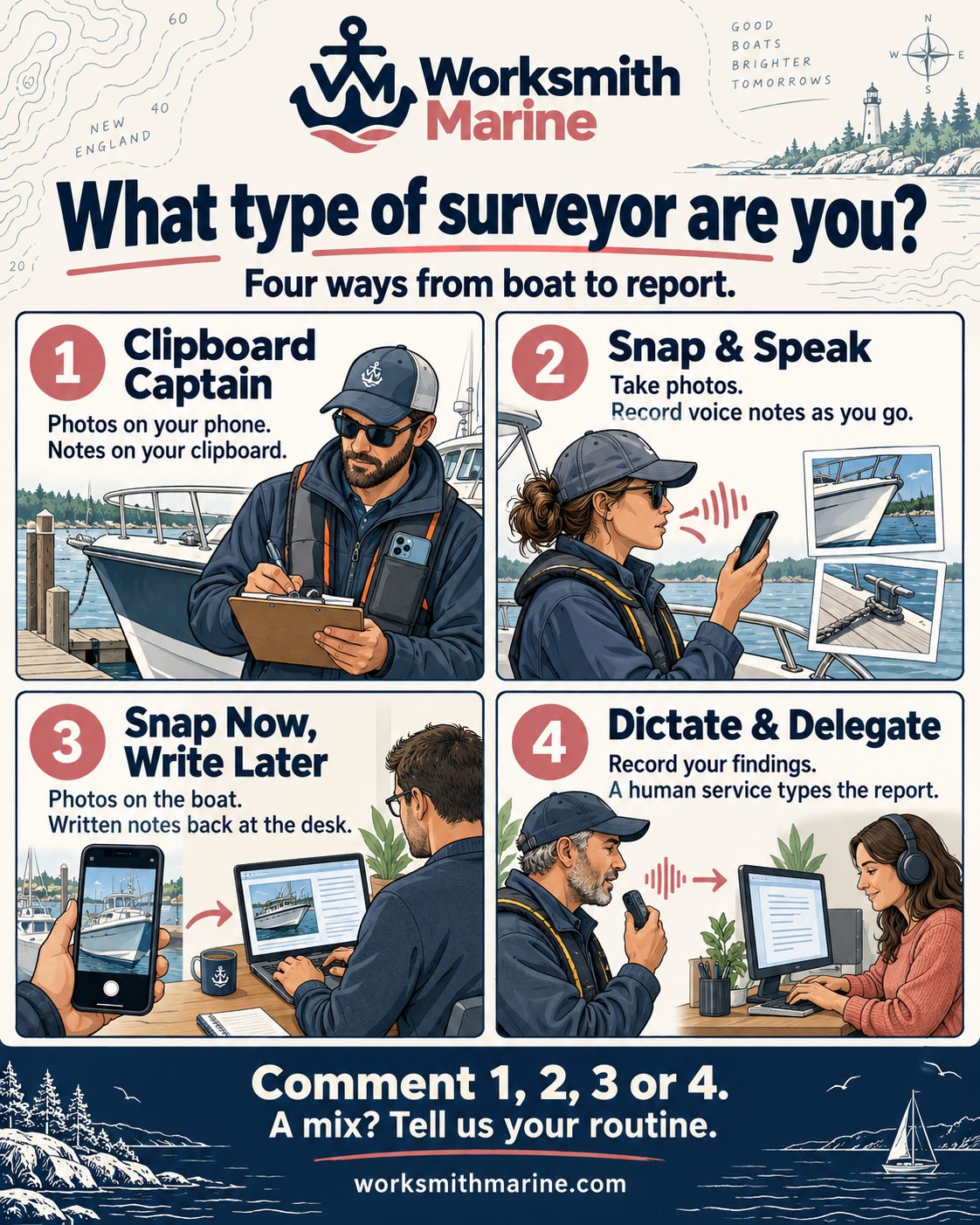
One thing to say up front, because it shaped every decision below. We did not try to make surveyors work our way. The inspection is the skilled part and every one of these four routines does it well. What we built is for the second job, the one that starts when the flashlight goes back in the bag.
1. Clipboard Captain
On the boat. Photos on the phone, notes on the clipboard, and the clipboard wins ties. This is the oldest routine in the trade and it is old for a reason. Paper does not run out of battery, does not care about spray, and does not make you look away from the boat. You write "house batt not secured, box too small" in your own shorthand, take the picture, keep moving.
At the desk. Three jobs, in order. Read your own handwriting at 9pm. Match page three of the notes to photos 41 through 57. Type all of it into the template. The third job is the one that eats the evening, and it is pure transcription of work you already did once.
What we built. The clipboard stays. At the end of the survey you photograph the pages, one wide shot of the whole clipboard or a photo per page, and add them to the survey next to your vessel photos.
The engineering effort here went into reading handwriting, because that is where the routine lives or dies. Surveyor shorthand, abbreviations, arrows, circled items, a line through a word you changed your mind about. Worksmith transcribes the pages, then files each observation into the section it belongs to: the battery note goes to Electrical, the seacock note goes to Hull, and the photos you took at the same time land beside them. You can attach the pages as one big image and let it sort, or drop individual page photos into specific sections yourself when you want control. The typing job is gone. The reading-your-own-handwriting job is gone. What is left is checking the draft against what you saw.
2. Snap & Speak
On the boat. Photos and voice notes as you go, nothing written down. This surveyor talks through the boat: "Electrical. Four batteries, two banks. House battery not secured, container undersized, electrolyte low." Photo, photo, next system. The observation is captured while it is fresh, in complete sentences, in roughly the words the report will use.
At the desk. Forty voice memos and 200 photos are not a report. They are a pile. Somebody has to listen to every memo, work out which photos go with it, and write the whole thing out properly. The material is the best of any of the four routines and the evening is still gone.
What we built. The capture screen was designed around this routine, because it is the one where the app is in your hand the most. Camera and voice note are on the same screen, one tap each. It works the same with no signal in a steel-hulled engine room as it does at the dock, and nothing waits on a connection. That part took real work and it was not optional. A capture tool that needs bars is a capture tool you stop trusting the first time it fails, and you never pick it up again.
When you say "house battery not secured," Worksmith transcribes it live and files it, with the photos you took in the same breath, under Electrical. Then it does the part that used to take the evening: it turns the spoken observation into a properly written finding, in your voice, in the structure of your past reports, following the convention of how a finding, its severity, and its recommendation get stated. The pile comes out the other side as a draft with the sections already filled.
3. Snap Now, Write Later
On the boat. Photos only. This surveyor does not want to write or talk while inspecting. He wants to look. The camera is the only tool that comes out, and the photos are the record.
At the desk. The photos get pulled up one at a time and the observations get written against them, from memory and from what the picture shows. The writing is often the most careful of the four, because it happens with a coffee instead of a flashlight. The cost is the sorting: which of 200 photos belong to which section, done by hand, every report. And anything that did not make it into a photo has to survive the drive home.
What we built. Take the photos. That is still the whole job on the boat.
Back at the desk, Worksmith has already done the sorting. It looks at each photo and works out what it is looking at, a battery bank, a seacock, a fuel filter, a chainplate, and puts it in the right section. You open Electrical and see your electrical photos, in order. Then you write, with the picture in front of you, and Worksmith turns your notes into the finished finding in your template. The sorting job disappears. The writing job gets shorter, because you are annotating evidence instead of composing from a blank page. The careful-writing habit this routine is known for stays intact, because you are still the one deciding what each photo means.
4. Dictate & Delegate
On the boat, and after. Dictate the findings, or the whole narrative, and send the recording to a human transcription service. A typed document comes back, and that becomes the report.
At the desk. This is the routine of surveyors who worked out that their hours on the boat are worth more than their hours at a keyboard, and paid someone to take the keyboard. It works. It also costs money per report, adds a day or two of turnaround, and the transcriptionist has never seen the boat. The photos still have to be placed in the document by hand, and the narrative still has to be read against the pictures to make sure the words and the evidence agree.
What we built. Keep dictating. Skip the service.
Worksmith transcribes your dictation in the app, immediately, with no per-report fee, and drafts the narrative into your own template. Because the transcription happens in the same place as your photos, the step the service could never do for you, matching pictures to words, happens on its own. You get a structured draft the same day instead of a typed document two days later that still needs the photos placed. Then you do what you were always going to do: read it, fix what needs fixing, sign it.
We spent a while on whether to build this path at all, since these surveyors already have a system that works. What decided it was the photo step. Every surveyor in this routine described the same afternoon of dragging pictures into a Word document, and nobody described it fondly.
What is the same for all four
Two things, and they are the two decisions that mattered most.
It learns from your reports, not ours. Before any of the above works, you add a few of your past reports. Worksmith reads them and learns your letterhead, your section order, your headings, and the way you write a finding. Every draft after that comes out looking like yours because it is built from yours. We did this instead of shipping a "best practice" template, because a surveyor's template is his reputation and no two are alike.
You edit one section at a time, and nothing leaves without you. Whatever routine got you there, you end up in the same place: a full draft in your sections that you open, fix, and save, section by section. Then you export it as your own document. The report is yours and so is the signature on it. That was never up for debate.
Which one are you?
Most surveyors we talk to answer with a number and then a "but." Clipboard on the hull, voice notes in the engine room. Photos only on a trailer boat, dictation on a trawler. That is normal, and it is why we built all four paths into one app rather than picking the one we liked best.
If your routine is not in here, we would like to hear about it. That is how the list got to four.
You are probably already in our directory of accredited marine surveyors. If the listing is wrong, and a fair number of them are, claim it and fix it. It takes a minute and it is free.